NiFi Cluster Automation
automationdevopsnifiterraformansiblejenkinsdatadevops 4 min read
Overview
Apache NiFi is a powerful dataflow automation tool widely used for ingesting, routing, transforming, and monitoring data at scale. While setting up a standalone NiFi instance is straightforward, managing a NiFi cluster manually quickly becomes complex, error-prone, and unscalable.
In this project, I designed and implemented a fully automated Apache NiFi cluster setup using a CI/CD-driven DevOps approach. The entire infrastructure provisioning, configuration, security setup, and cluster coordination can be triggered using a single Jenkins build, eliminating repetitive manual steps and ensuring consistency across environments .
Why Automate?
Setting up or expanding a NiFi cluster manually involves repetitive and fragile steps:
- Updating
nifi.propertieson every node - Configuring ZooKeeper connectivity
- Managing certificates for secure inter-node communication
- Ensuring all nodes remain configuration-consistent
- Repeating the same process for scaling or rebuilding environments
Manual configuration becomes tedious and risky as the cluster grows.
By automating the setup:
- We achieve a single source of truth
- Cluster nodes can be added or removed seamlessly
- Configuration drift is eliminated
- Infrastructure and application lifecycle are managed declaratively
Automation transforms NiFi cluster management from an operational burden into a repeatable, reliable workflow.
Understanding Apache NiFi Clustering
Apache NiFi follows a Zero-Master Clustering architecture:
- Every node runs the same dataflow
- Each node processes a different subset of data
- No node is permanently designated as a master
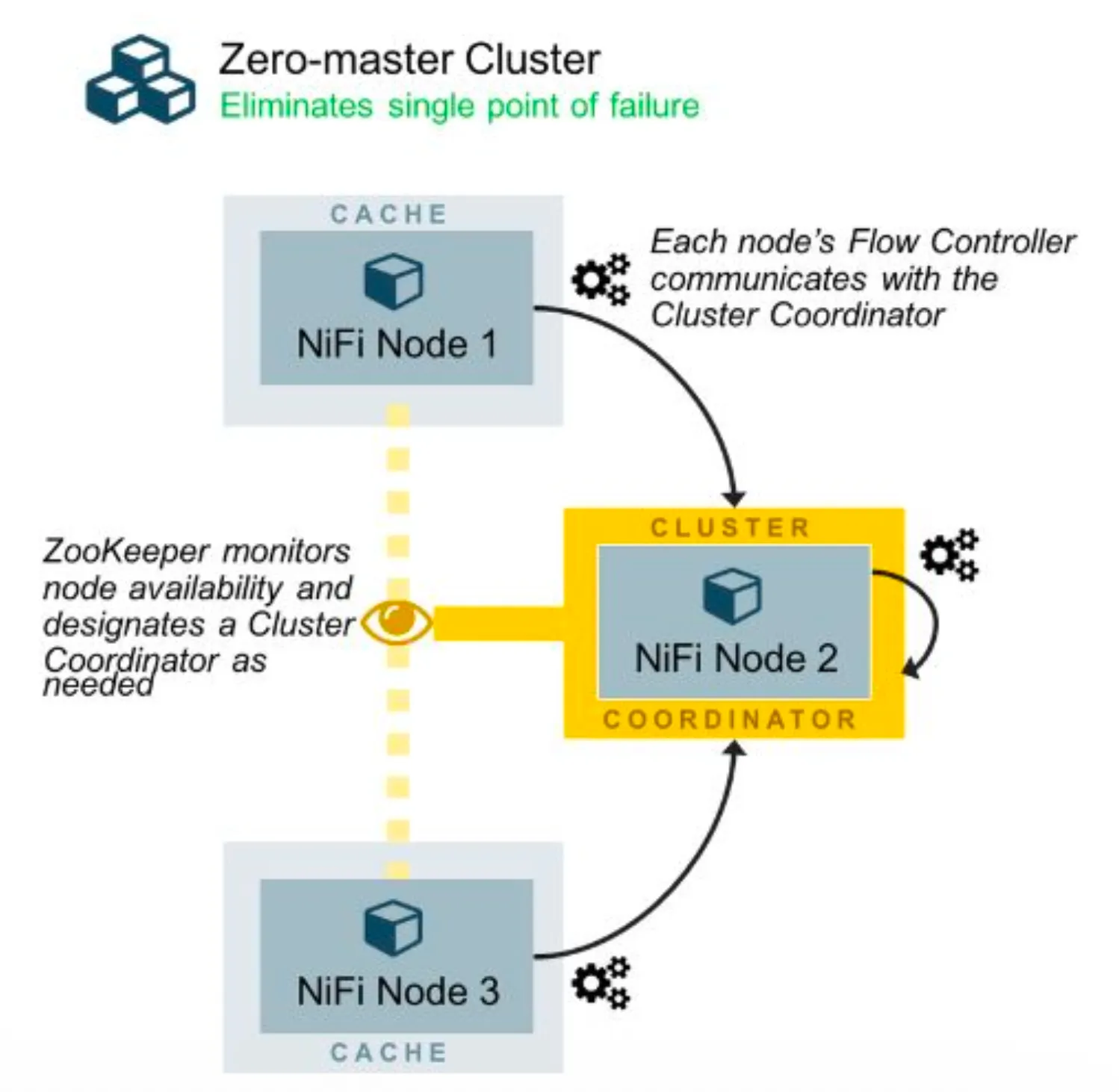
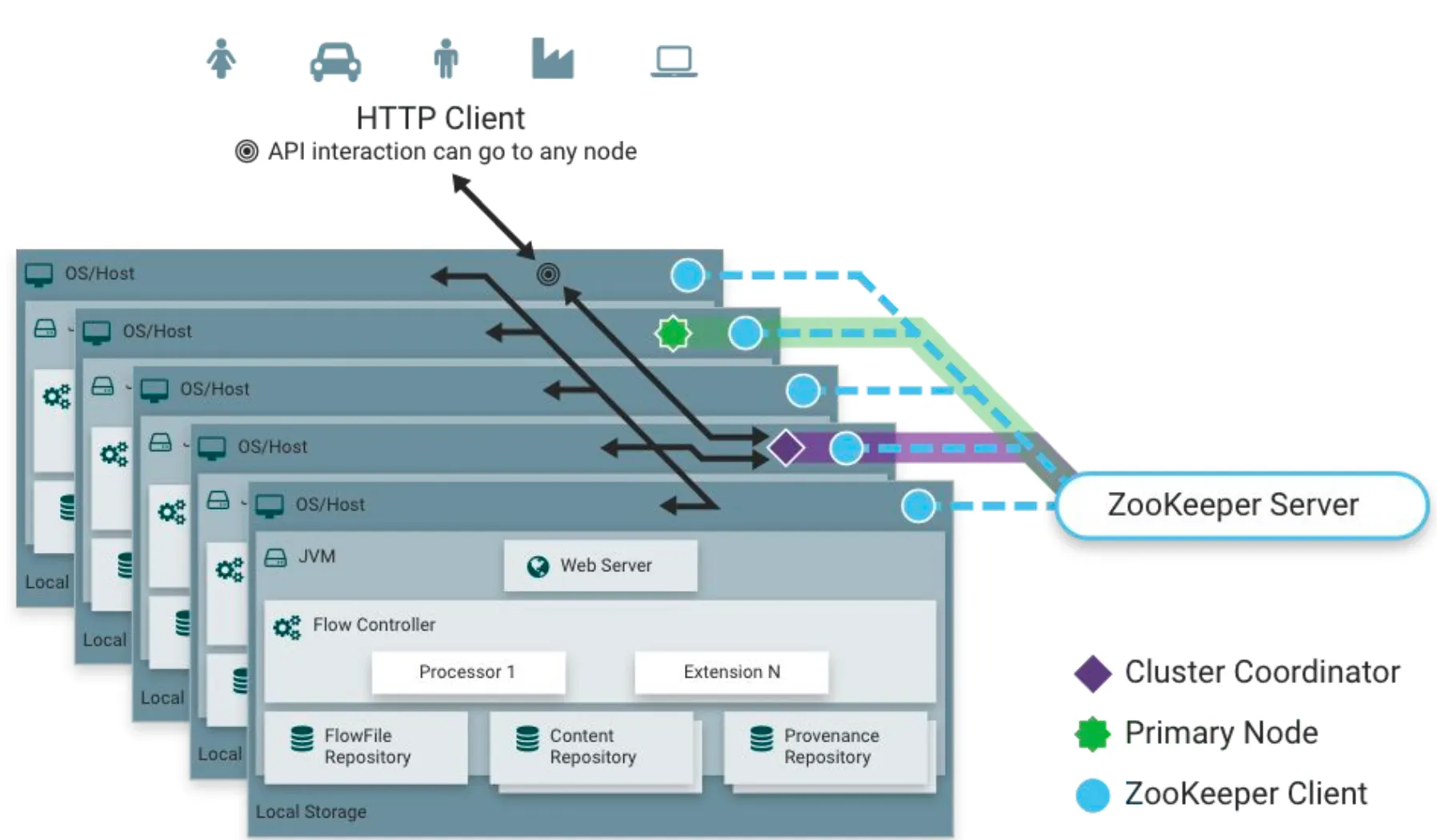
One node is automatically elected as the Cluster Coordinator using Apache ZooKeeper. This coordinator:
- Manages node membership
- Ensures flow synchronization
- Handles cluster health via heartbeats
If the coordinator fails, ZooKeeper automatically elects a new one, making the system fault-tolerant by design.
Platform & Tools Used
This project combines multiple DevOps tools, each solving a specific problem:
- Jenkins – CI/CD orchestration and single-click automation
- Terraform – Infrastructure provisioning on AWS (IaC)
- Ansible – Configuration management and NiFi setup
- Apache NiFi – Dataflow orchestration platform
- Apache ZooKeeper – Cluster coordination and leader election
- AWS – Cloud infrastructure (EC2, VPC, Security Groups)
- LDAP – Authentication and authorization integration
Flow of Automation
The automation pipeline follows a clean, sequential flow:
-
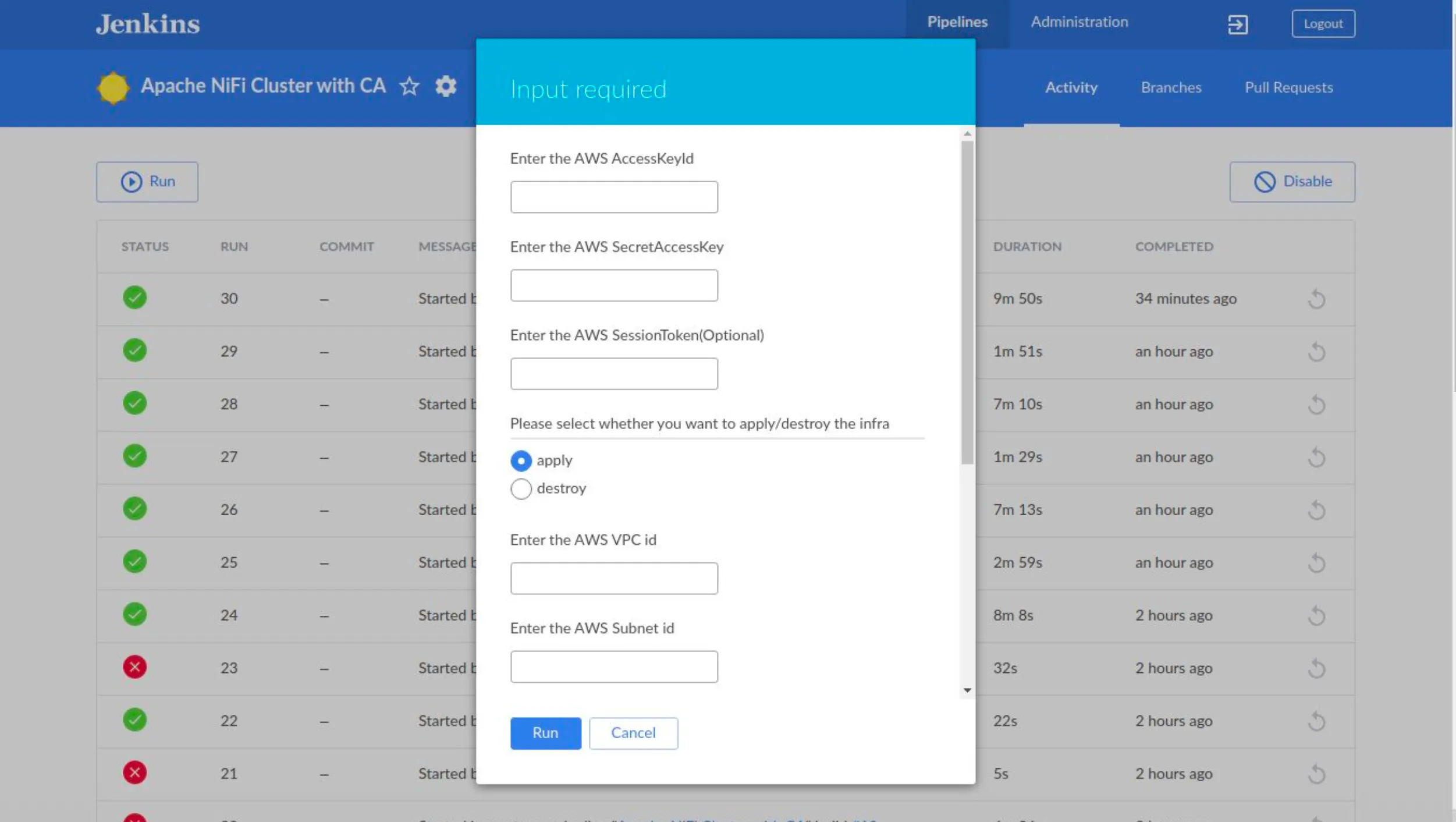
User triggers a Jenkins job
-
Required inputs are provided:
- AWS credentials
- VPC & Subnet IDs
- Number of NiFi nodes
- Apply or destroy infrastructure
-
Jenkins executes the pipeline defined in the
Jenkinsfile -
Terraform provisions:
- EC2 instances
- Security groups
- Networking resources
-
Terraform invokes Ansible
-
Ansible:
- Installs Java and NiFi
- Configures ZooKeeper connectivity
- Generates or applies TLS certificates
- Updates NiFi configuration files
-
NiFi nodes auto-join the cluster
-
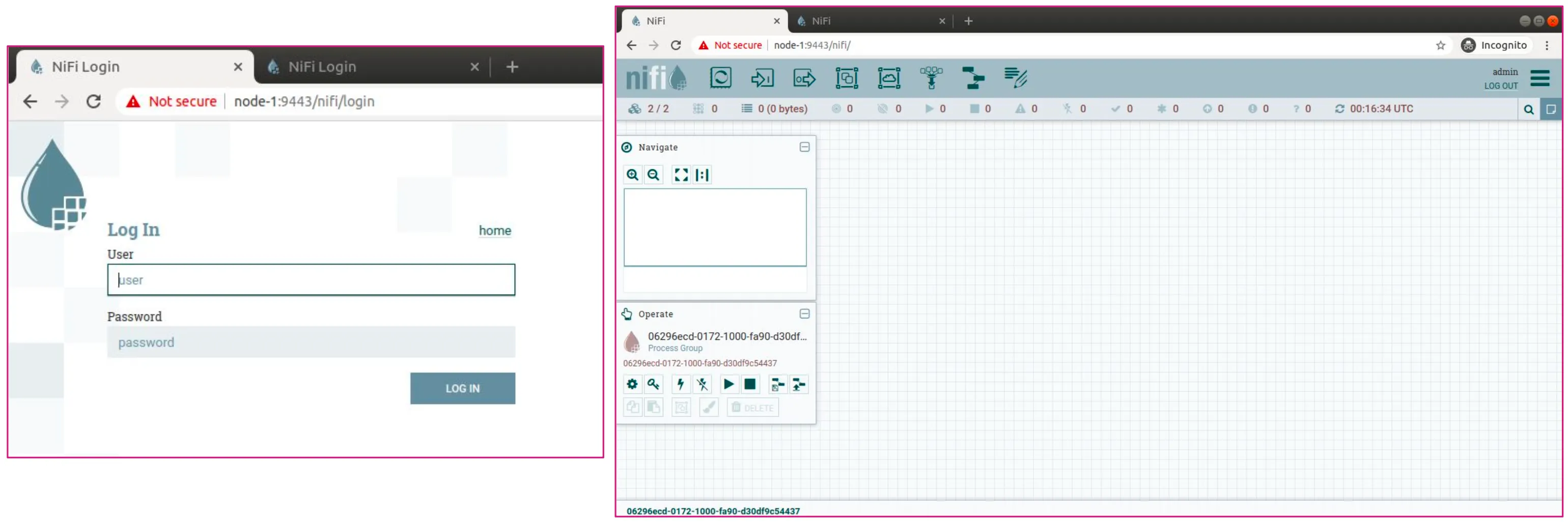
Cluster becomes accessible via the NiFi Web UI
All of this happens without logging into a single server manually.
Files & Repository Structure
The repository is structured to cleanly separate concerns:
nifi/
├── Jenkinsfile
├── nifiansible/
│   ├── roles/
│   │   ├── nifi
│   │   ├── certificates
│   │   └── nifi_security
│   ├── templates/
│   │   ├── nifi.properties.j2
│   │   ├── authorizers.xml.j2
│   │   └── login-identity-providers.xml.j2
│   └── site.yml
├── nifiresources/
│   └── mycertificates/
├── nifiterraform/
│   ├── main.tf
│   ├── variables.tf
│   └── modules/
└── README.md
This structure allows:
- Independent changes to infra or config
- Easy reuse across environments
- Clear ownership of each automation layer
Working with DevOps Tools
Jenkins
Jenkins acts as the entry point for the entire system.
- Accepts user input via build parameters
- Injects AWS credentials securely
- Executes Terraform and Ansible in sequence
- Provides visual feedback via pipeline stages
This makes the NiFi cluster deployment repeatable, auditable, and CI/CD-friendly.
Terraform
Terraform is responsible for infrastructure as code:
- EC2 instances for NiFi nodes and ZooKeeper
- Security groups with controlled ingress
- Networking inside an existing VPC
Using Terraform ensures:
- Infrastructure consistency
- Easy teardown and recreation
- Version-controlled cloud architecture
Ansible
Ansible handles configuration management:
-
Uses dynamic inventory from AWS
-
Installs NiFi and dependencies
-
Configures:
nifi.propertiesauthorizers.xmllogin-identity-providers.xml
-
Enables secure cluster communication
-
Integrates LDAP authentication
All configurations are applied using templates, making scaling and changes effortless.
NiFi UI
Once automation completes:
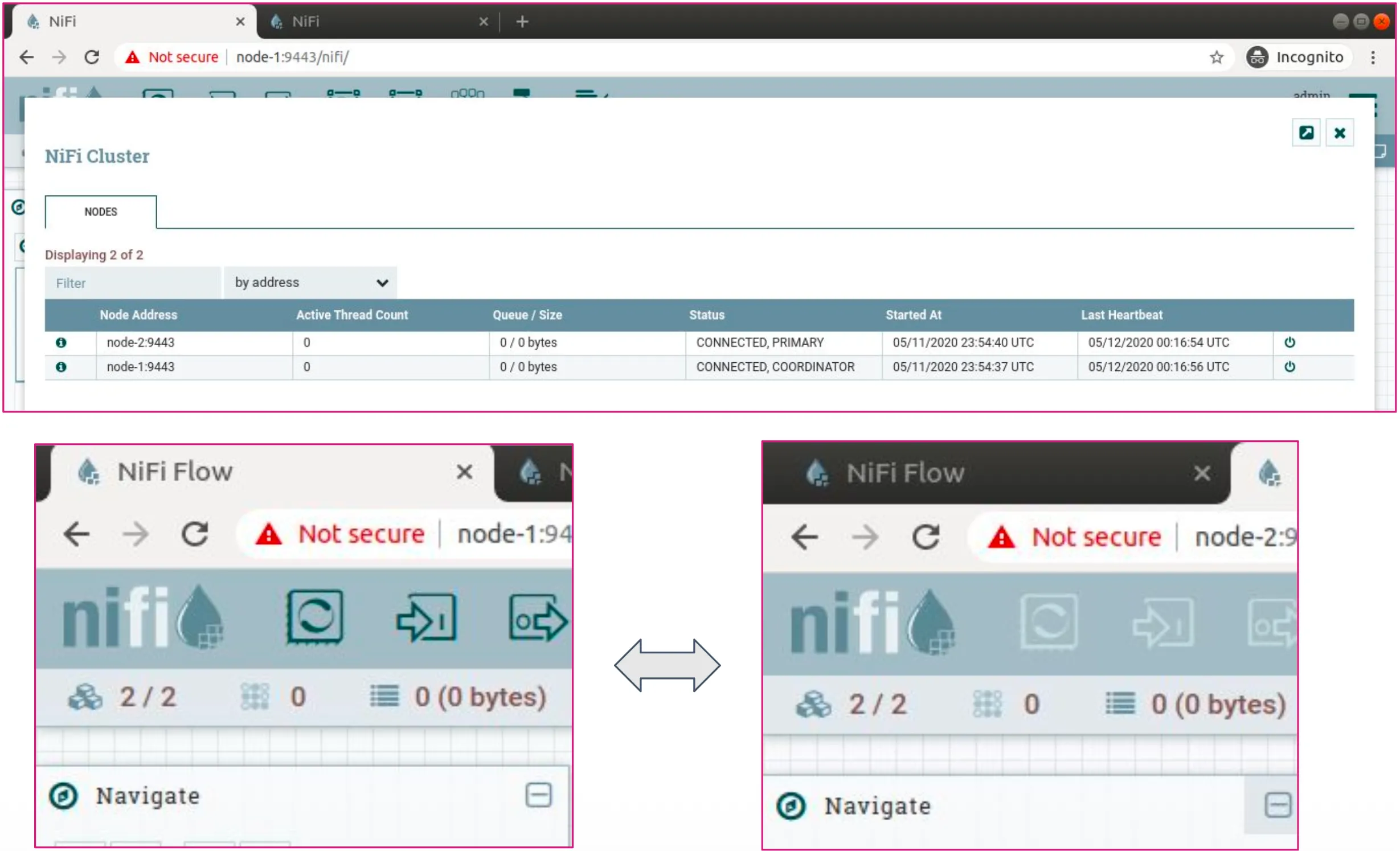
- Each node exposes the NiFi Web UI
- The cluster is visible under Cluster Management
- Nodes show live heartbeats and roles
- Changes made on one node propagate to all
This validates that the cluster is healthy, synchronized, and production-ready.
Automating Apache NiFi cluster setup not only reduces operational effort but also enables teams to scale data platforms confidently. This project was a hands-on experience in infrastructure automation, distributed systems, and DevOps engineering, and it laid a strong foundation for building reliable data platforms.
If you’re working with NiFi at scale, automation is not optional — it’s essential.